The real problem
Capturing is fast. Reconstructing the research session is not.
A useful screenshot often begins as a temporary thought: a layout worth studying, a quote to verify, an error to explain, a chart to reference or a customer comment that should shape the next draft.
When those images are saved into one chronological folder, the creator must later remember the website, date, filename and reason each capture mattered. The cost is not the screenshot itself. It is rebuilding the lost context while writing, editing or handing work to someone else.
It captures pixels you deliberately select or accepts images you explicitly paste or import. It does not scrape websites, bypass access controls or decide whether third-party material may be republished.
Project-first workflow
Collect continuously, then add only the context that earns its keep
Create one workspace per deliverable
Use the article, video, campaign or client job as the boundary. Captures made during that research session begin with useful context instead of a generic date-based folder.
Capture the smallest useful region
Keep the claim, visual pattern or interface state that matters. Avoid collecting an entire desktop when a focused region will be easier to review and safer to share.
Add context selectively
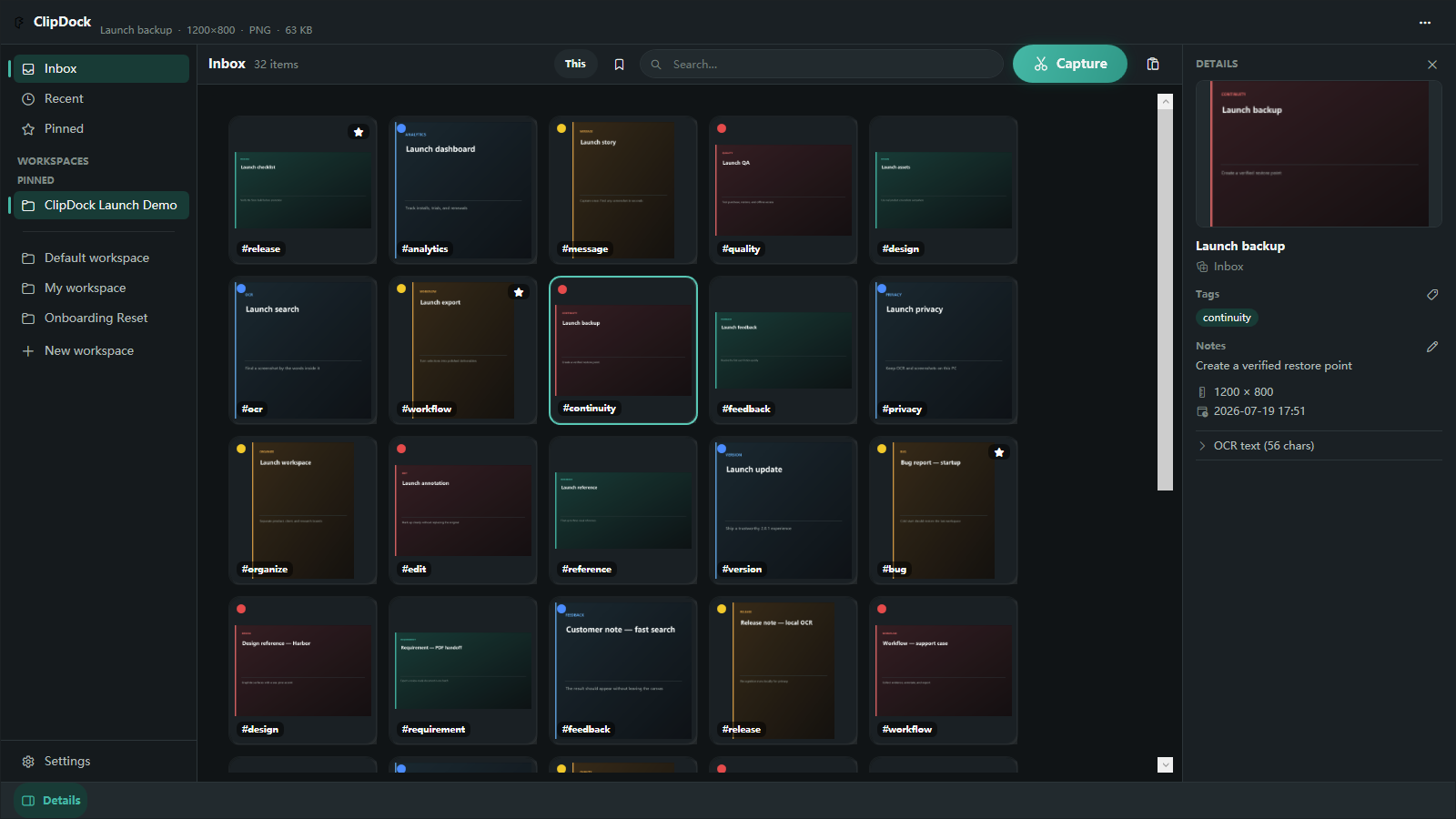
Rename the important items, group related evidence, add a short note or tag, and pin the few references that should stay visible during production.
Find by memory, not by filename
Search the current workspace by names, tags, notes or locally recognized screenshot text. Pro expands retrieval across the full library as the collection grows.
Reuse deliberately
Keep a reference floating, annotate what matters, or export selected material as individual images, a contact sheet, step collage or image PDF.
Where it helps
One capture library, several creator jobs
Article research
Keep quotations, statistics, interface states and visual examples beside the project they support.
Video preparation
Collect B-roll references, thumbnail ideas, steps to demonstrate and screenshots needed for an edit.
Design review
Group examples by pattern, mark the details worth discussing and keep decisions visible while revising.
Customer education
Capture a sequence of interface states, annotate the important controls and export a consistent handoff.
Keep the system light
Do not turn screenshot organization into another full-time job
- Create a workspace only for work that will last longer than the current session.
- Use groups for visible clusters and tags only when they help retrieval across time.
- Delete weak duplicates before they become part of the permanent research library.
- Keep source links or attribution notes when the screenshot may appear in published work.
- Review sensitive account, customer or project information before exporting or sharing.
FAQ
Common creator workflow questions
Why not use the ordinary Screenshots folder?
Use it if filenames and dates are enough. ClipDock becomes useful when screenshots belong to projects, need visual grouping, or must be found later by remembered text and context.
Does ClipDock upload my research screenshots?
Normal capture and OCR search remain local. Backups go only to a destination you explicitly choose.
Does organizing a screenshot give me permission to republish it?
No. ClipDock organizes your local working material. Copyright, confidentiality, attribution and platform rules still apply to anything you publish.
Do I need Pro to test the workflow?
No. Free includes the core visual workbench, basic organization and a limited local OCR experience. Pro is intended for a growing full-library workflow, automated recovery and repeatable export recipes.
Give every useful capture a project home.
Start with one real research task. Capture, organize and retrieve the material before deciding whether ClipDock belongs in your regular workflow.