Collect without interruption
Capture one useful region after another without opening a Save As dialog or dragging the workbench into focus.
Repeated region capture · custom hotkeysWindows screenshot workspace
Capture multiple screen regions without breaking your flow. ClipDock keeps every useful reference in a private visual workspace, organized by project and searchable later with local OCR.
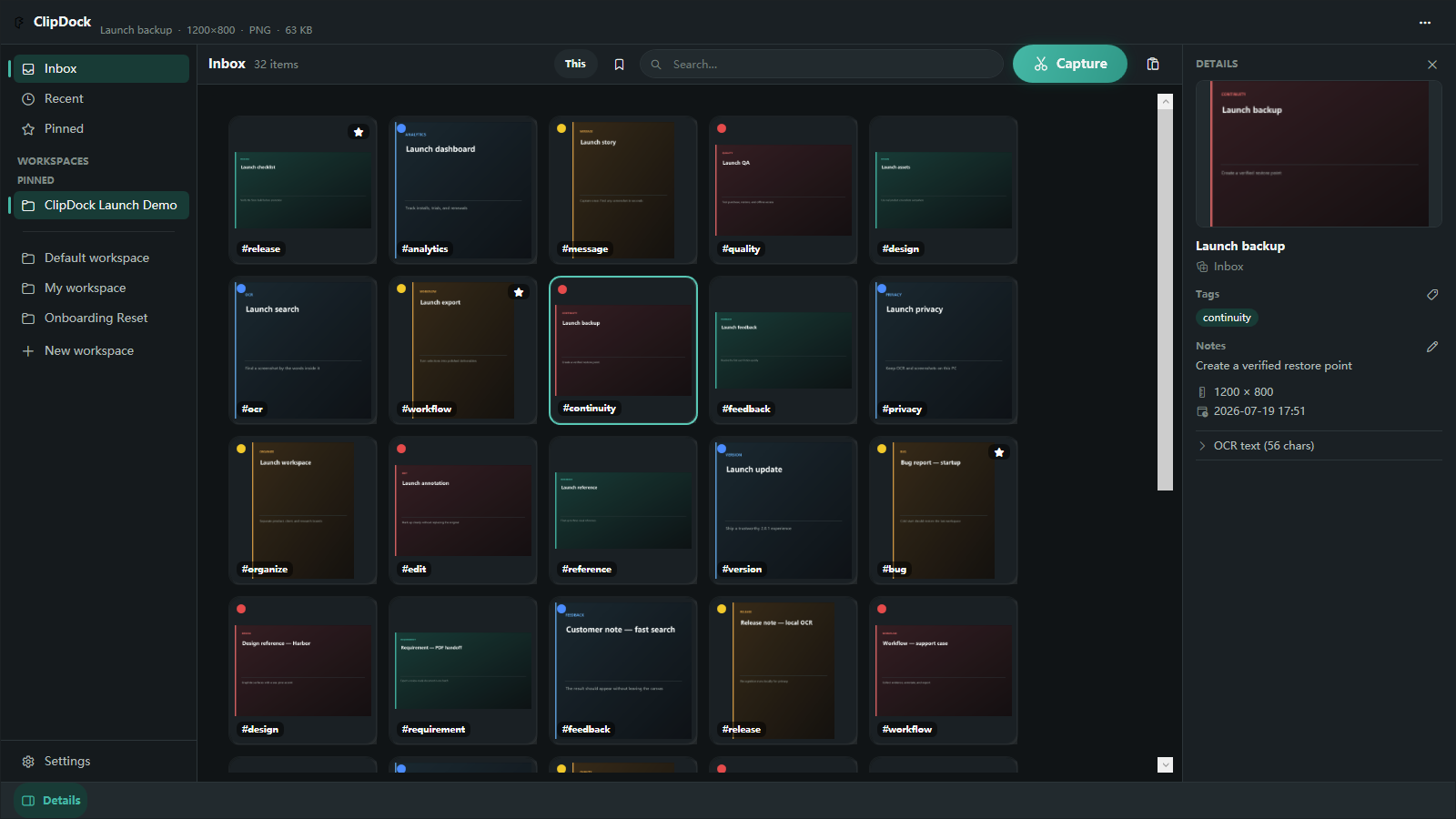
Built for screenshot-heavy work
ClipDock keeps repeated capture quiet, preserves project context, makes screenshot text searchable on your PC, and turns scattered images into reusable working material.
Capture one useful region after another without opening a Save As dialog or dragging the workbench into focus.
Repeated region capture · custom hotkeysSearch names, tags, notes and text detected inside screenshots. OCR stays on your device instead of uploading your library.
Local OCR · workspace filtersKeep references floating, annotate what matters, and export individual images, contact sheets, step collages or image PDFs.
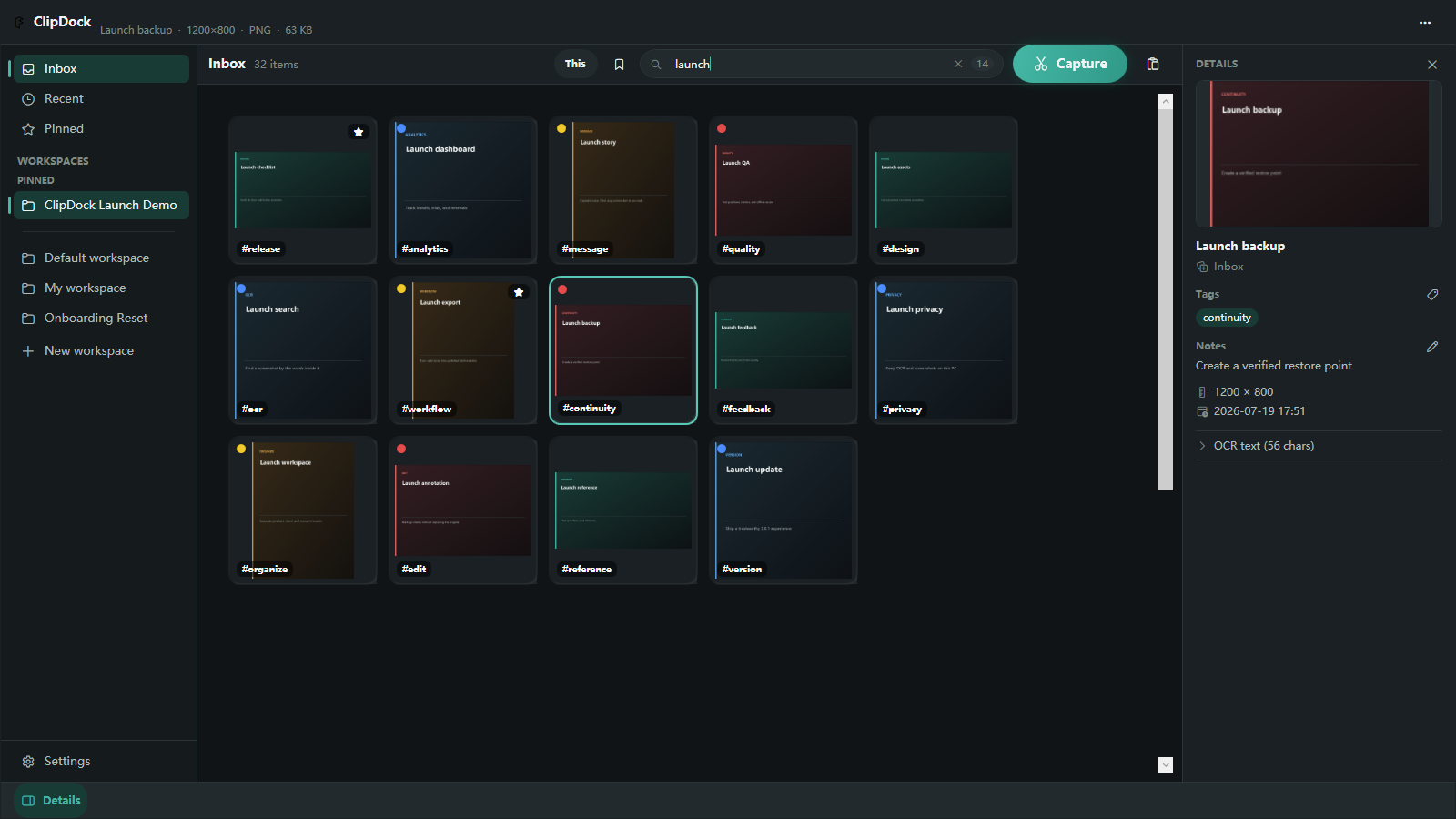
Floating references · consistent exportsThis ClipDock workspace is filtered by the word “launch.” Matching screenshots stay in the same canvas, with tags and item details still available.
★ ClipDock Pro
Move from a handy clipboard to a dependable screenshot system—searchable, recoverable and ready to deliver.
Your files are never held hostage. Existing images remain accessible if Pro expires. Existing Lifetime owners keep permanent Pro access.
Get ClipDock, then upgrade in appActual ClipDock 2.1 interface
The 2.1 release adds full-library retrieval, versioned recovery and reusable delivery workflows without moving screenshot processing to a hosted service.
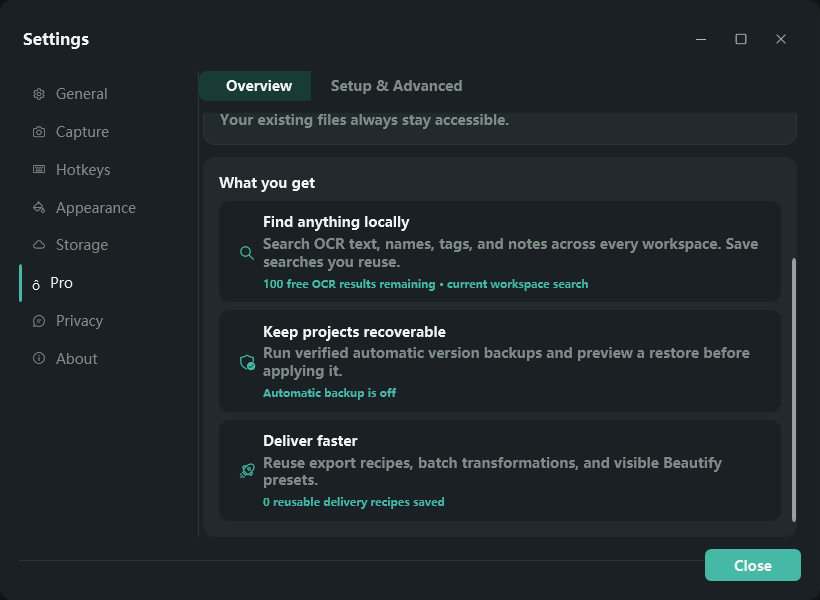
Free proves the local OCR workflow on the first 100 successfully indexed images in this app profile. Pro removes that cap, searches every workspace and can create automatic version backups while ClipDock is running.
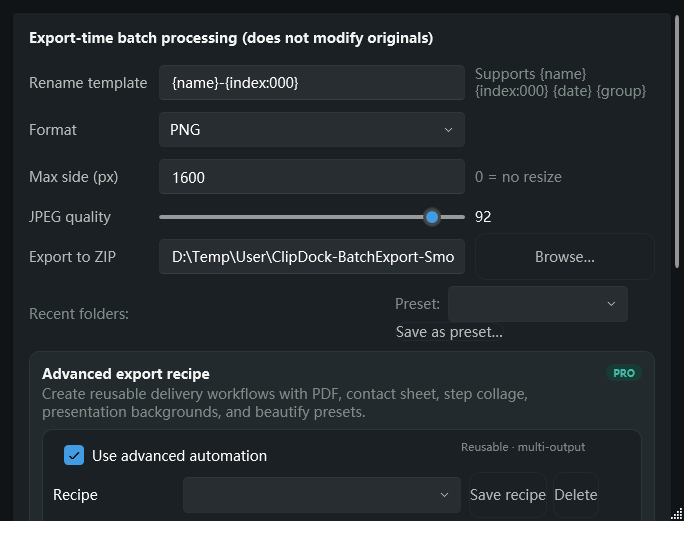
Pro Export Recipes can reuse naming, resizing, PDF, contact sheet, step collage, presentation background and beautify settings for repeated handoffs.
Included in Free:Manual scrolling capture, high-DPI annotation, current-workspace search, manual backup and the core visual workbench remain available without a subscription.
Practical Windows guides
Use Windows tools on their own, or add ClipDock when your screenshots become recurring work. Each guide explains the boundary honestly.
Compare Windows auto-save with a project-first workflow for capturing multiple references without repeated Save As dialogs.
Choose the right workflow → Creator workflowCollect visual references by project, recover remembered text, and prepare reusable material for articles and videos.
Build a creator workflow → Local OCRUnderstand how on-device OCR turns remembered words into a path back to the original image.
Read the OCR guide → 9-step systemA practical workflow for folders, names, tags, cleanup, exports and recoverable backups.
Build the workflow → Post-capture workflowKeep Win + Shift + S, then give the screenshots worth saving a searchable visual home.
See the companion workflow → Manual long captureCapture a long page in deliberate scroll steps, review the stitched result, and understand which windows work best.
Read the scrolling capture guide →Simple pricing
The free workbench is useful on day one. Pro is for larger libraries, repeatable delivery and recovery you can trust.
Microsoft Store controls Annual availability, localized price, trial, billing, renewal and cancellation. Features remain subject to the version available in your market.
Questions, answered
No for normal capture and search. Your library stays local and OCR runs on your PC. Backups go only to a location you explicitly choose.
Your existing images remain accessible. Store-managed Pro capabilities stop until the subscription is active again.
No. Existing Lifetime owners keep permanent Pro access and can restore that entitlement through Microsoft Store.
Yes. Free includes the core workbench, two custom workspaces, three floating references, basic annotation/export, manual backup and local OCR indexing for the first 100 successful images in this app profile.
ClipDock is built for Windows 10 and Windows 11 and installs through Microsoft Store.
Microsoft Store manages purchase, localized pricing, renewal, cancellation and entitlement restore.
Get help with OCR, backup, diagnostics or a Microsoft Store entitlement—or tell us what would make ClipDock better.